
Legacy iKnowMed Mobile Application Retirement Frequently Asked Questions Copied
The legacy iKnowMed Mobile app was removed from the Apple App Store and Google Play store because it can no longer be updated to address security vulnerabilities. It was removed from the Apple App Store in December 2020 and from Google Play in December 2019. Starting on Saturday, Nov. 13, 2021, the legacy iKnowMed Generation 2 mobile app for both iOS and Android devices will no longer be accessible.
Why and when was the legacy iKnowMed mobile application (app) removed from the app stores?
The legacy iKnowMed Generation 2 app was removed from the Apple App Store and Google Play store because it can no longer be updated to address security vulnerabilities. It was removed from the Apple App Store in December 2020 and from Google Play in December 2019.
When will the legacy iKnowMed Generation 2 mobile app be retired?
Starting on Saturday, Nov. 13, 2021, the legacy iKnowMed Generation 2 mobile app for both iOS and Android devices will no longer be accessible.
Why is Ontada only supporting iOS with this new mobile app?
In 2019, Technology Solutions announced our investment in iOS capabilities across the portfolio. The iOS platform helps us quickly develop and deploy functionality to meet providers’ needs.
Will there be a new iKnowMed mobile app for Android devices?
No. We encourage you to take advantage of the Apple suite of products, including the iPhone, iPad, and Apple Watch.
As an Android user I don’t want to switch to the iPhone. Do I have any other options?
Android users can use an iPad to access the newer mobile app. iOS emulator on Android is not an option because the new iKnowMed Mobile app takes advantage of many native functions of Apple devices and iOS.
How can I tell if I’m using a legacy iKnowMed Generation 2 mobile app on my Apple devices?
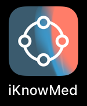
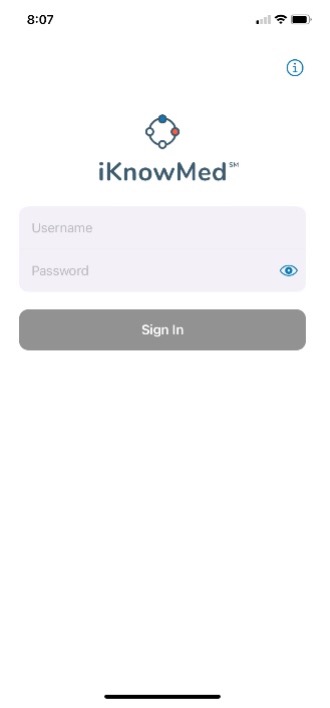
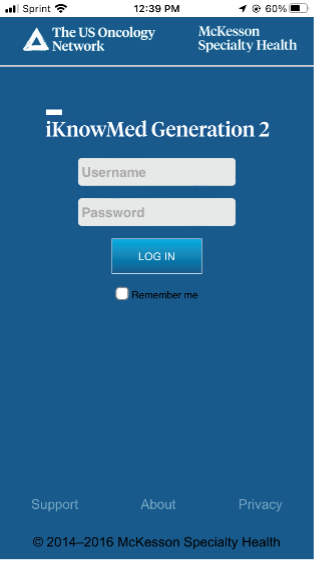
Look at the app’s icon on your device. The legacy icon shows a cloud with the Rod of Asclepius. If the login page for your iKnowMed mobile app looks like the desktop login page, you’re still using the legacy app. See the images below.
| Current iKnowMed Mobile Icon and Login Screen |
Legacy iKnowMed Mobile and Icon Login Screen |
|||
|---|---|---|---|---|
 |
 |
 |
 |
|
I’ve been using the legacy app; how can I install the new iOS iKnowMed Mobile app?
Using your Apple device, click here or use your iPhone or iPad to scan the QR code to download the app.

What if I have questions?
Please reach out to your Technology Account Manager with additional questions.