
Editable Task Purpose and Priority Copied
What’s changing
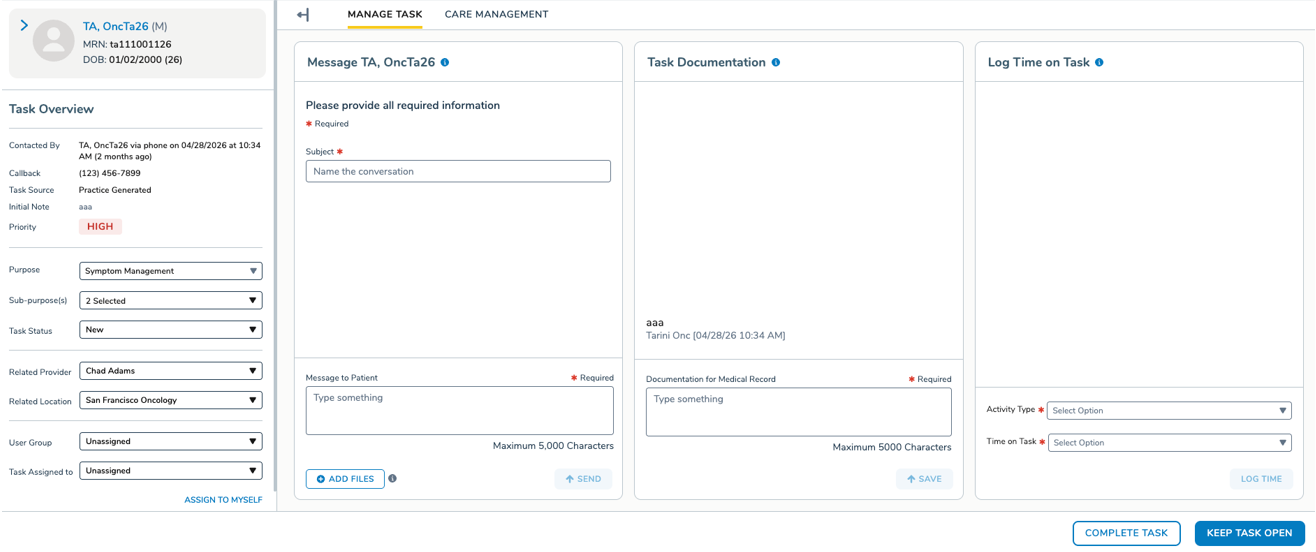
Users can edit the Purpose and Sub-Purpose of a task at any point during its lifecycle, up until it’s closed.
The Purpose will display as a dropdown showing all the practice’s configured task purposes in alphabetical order with “Other” listed last. The Sub-Purpose options will update dynamically based on the selected Purpose.
When a Purpose is changed, the Priority will also automatically update based on the practice’s configuration. A tooltip on the Priority badge explains that it’s set automatically based on Purpose.
Note: Changing a task’s Purpose does not automatically reassign it. The task must be manually reassigned to the correct user or user group to ensure it appears in the queue for the correct person.
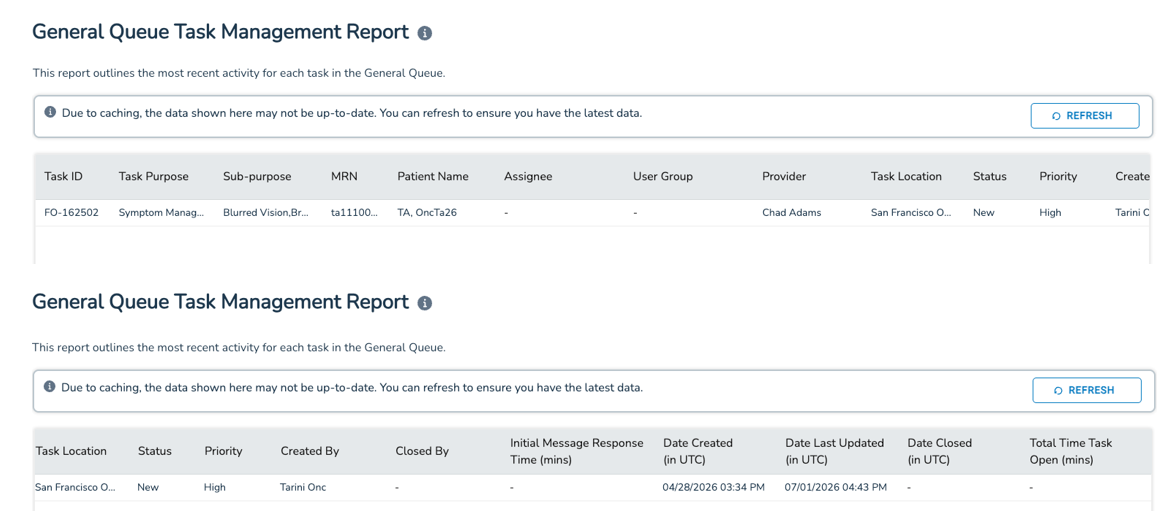
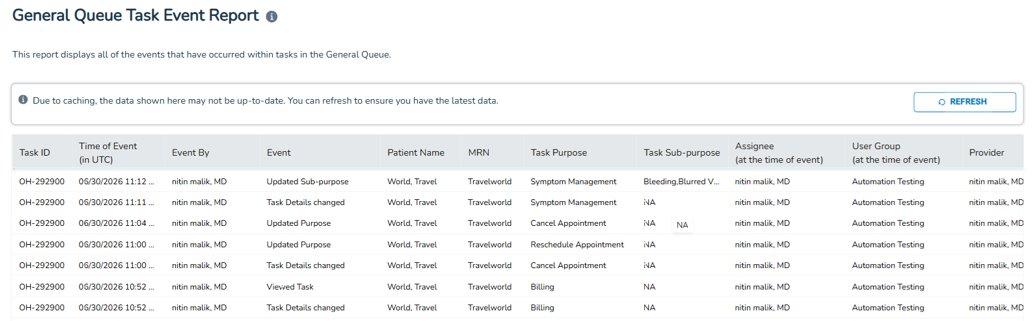
All changes to Purpose, Sub-Purpose, and Priority are captured in the General Queue Task Management Report and General Queue Task Event Report.
Why this matters
Previously, correcting a task’s Purpose or Priority meant having to close the task and create a new one. With this update, users can simply edit the fields directly, saving time and supporting more accurate reporting on how quickly tasks are managed by priority and purpose.