
Automatic addition of User Groups to the General Queue Copied
To enhance efficiency, the system will now automatically incorporate all user groups and their associated details for your practice into the General Queue. This information will be retrieved from under Admin > User Groups in iKnowMed.
Key features
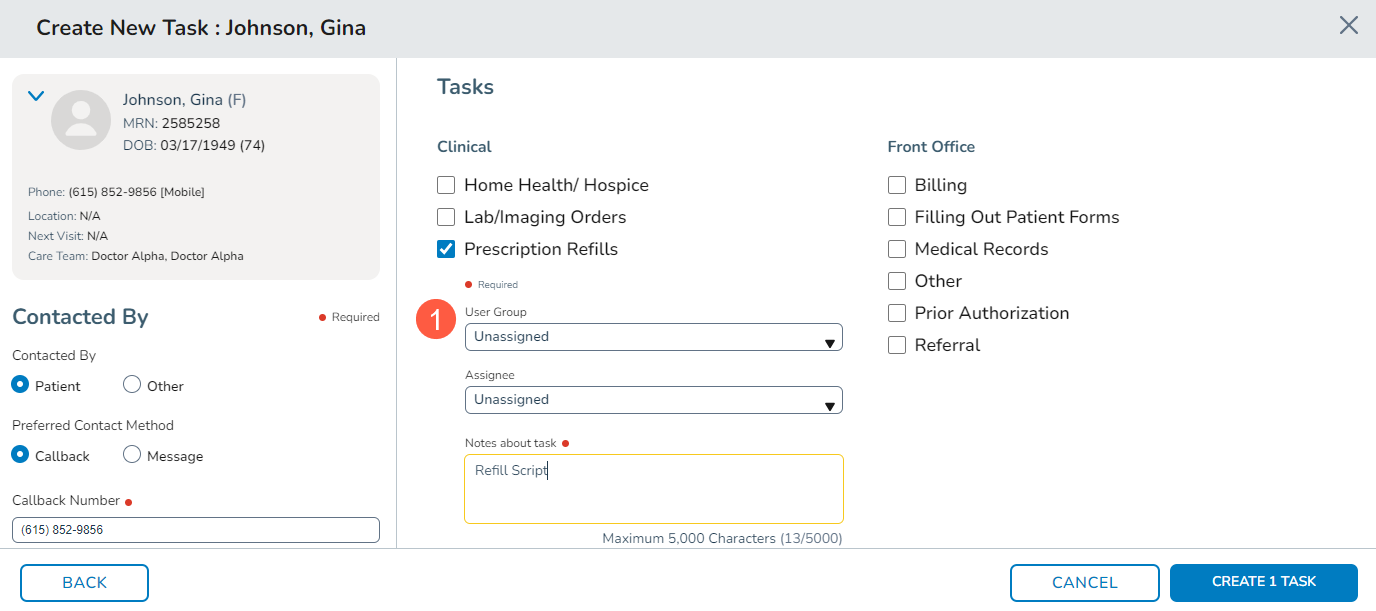
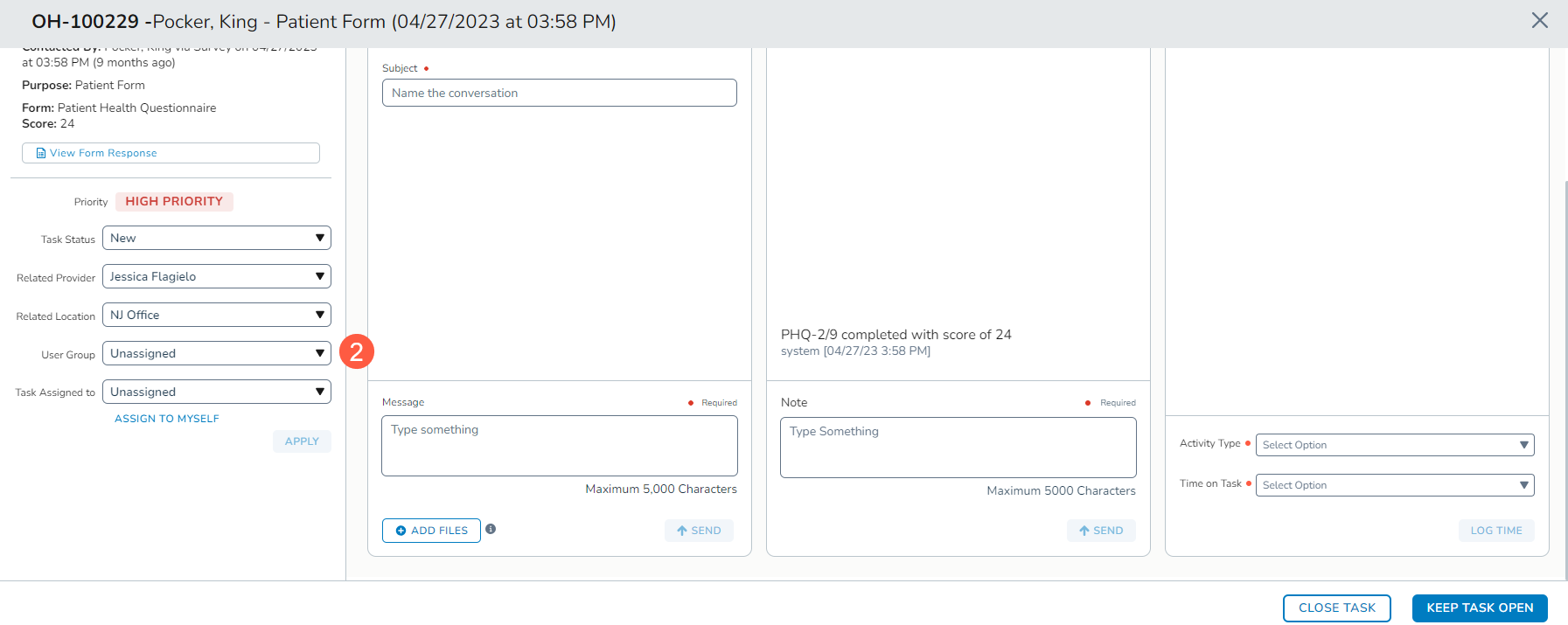
- Task assignment simplified: When creating and assigning tasks, Ontada Health users can select a User Group as needed (callouts 1 and 2).
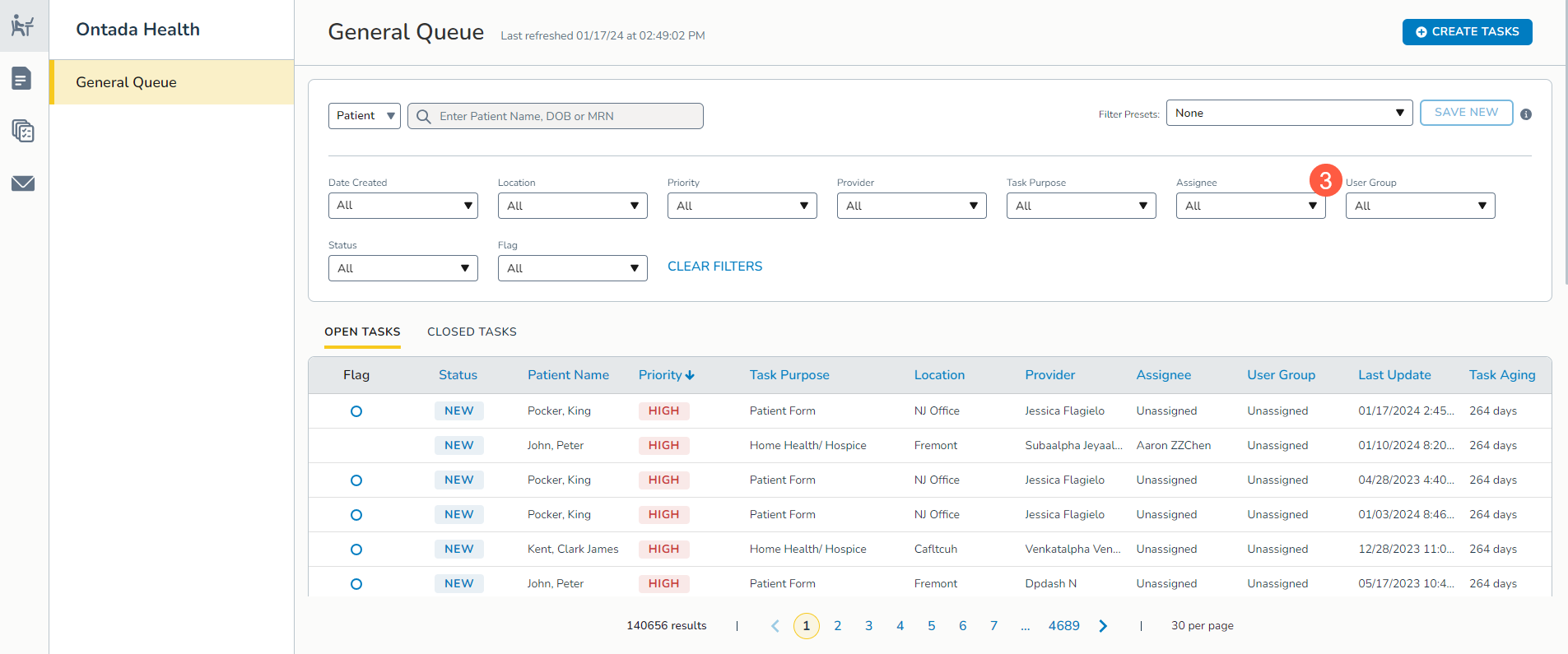
- User Group visibility: Practice users with permission to access the General Queue will see user groups displayed through the new User Group field in the queue (callout 3).
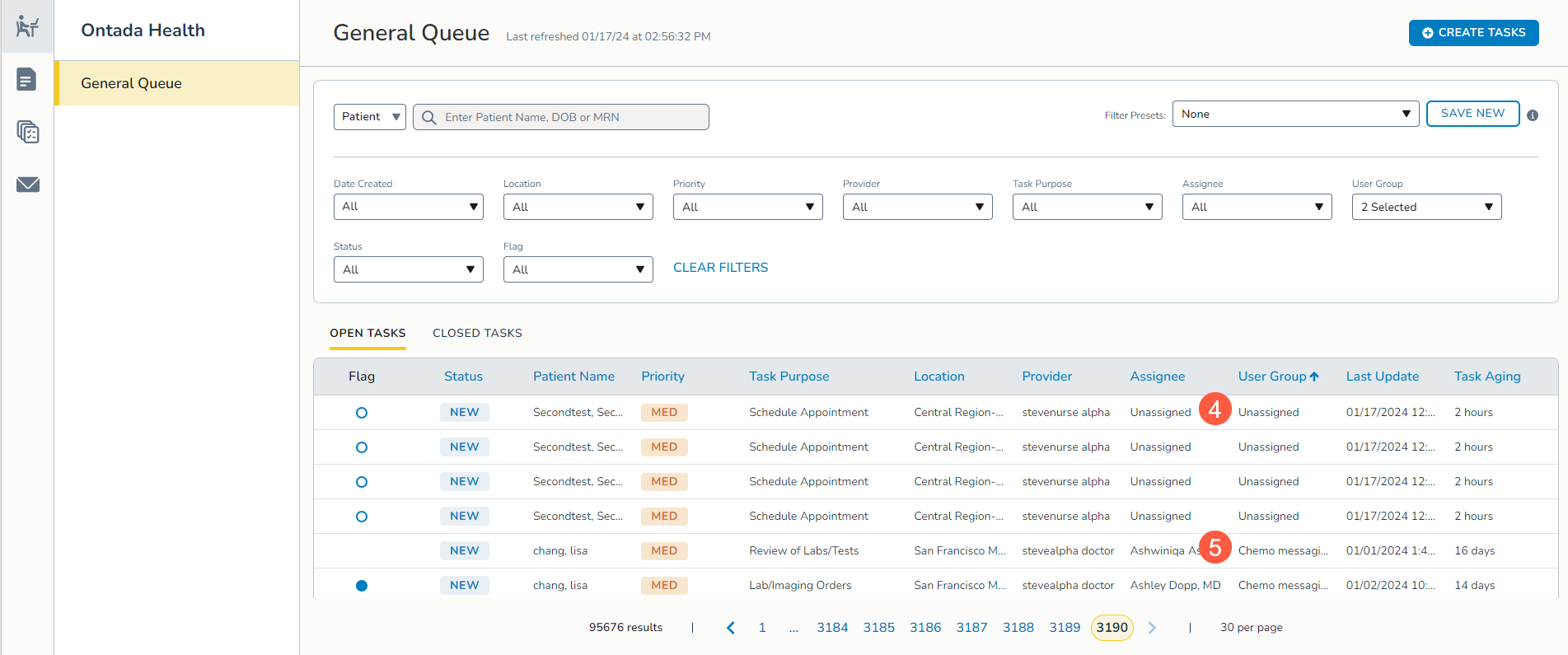
- User Group responsibility: Similar to individual user assignments, tasks will be marked as Unassigned under the User Group column initially (callout 4). Once a User Group is assigned to a task, the queue will reflect that the User Group is responsible for the task (callout 5). Permissioned users have the flexibility to change an assigned User Group at any time while the task is still open.
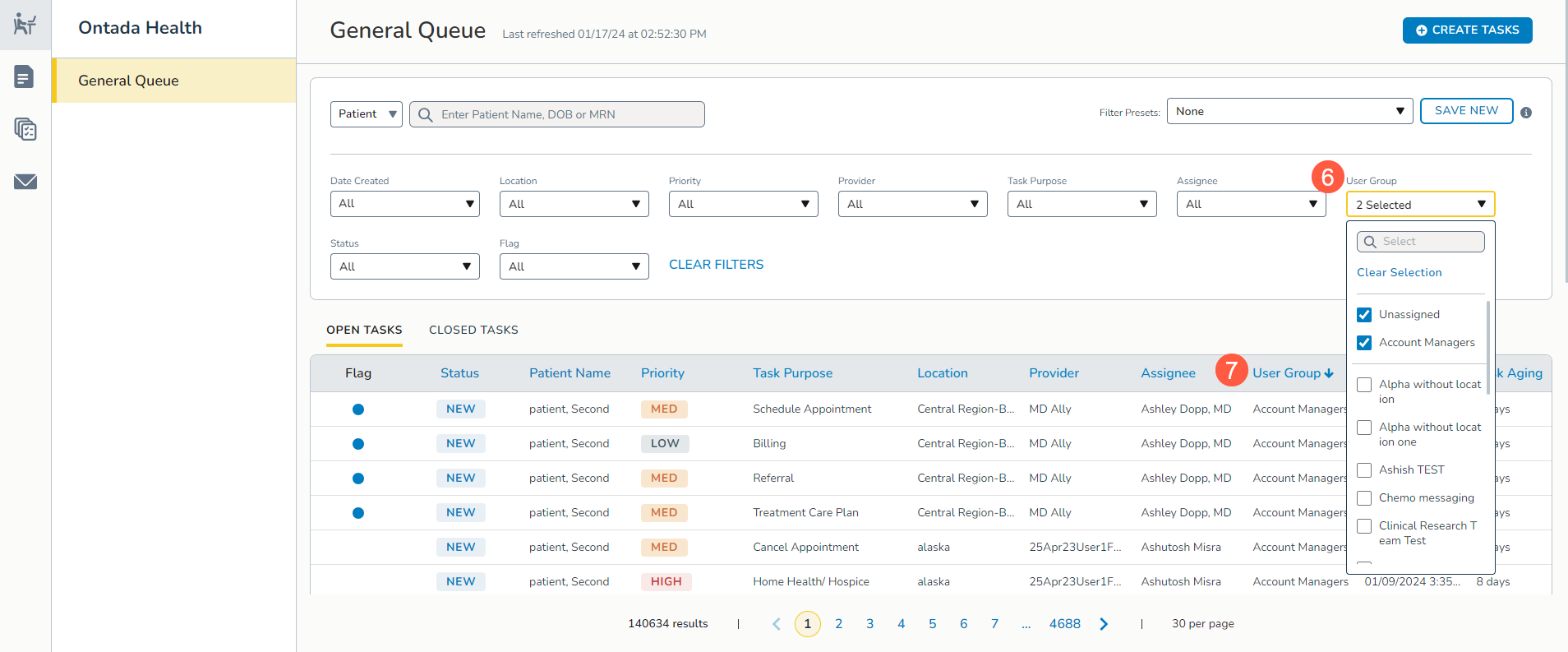
- User Group filtering and sorting: The User Group field in the filters and column in the table can be filtered and sorted as needed to locate unassigned User Group tasks or tasks assigned to specific User Groups (callouts 6 and 7).
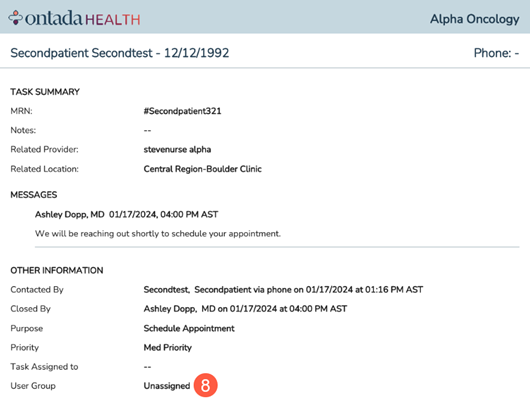
- Task Summary PDF: Once a task is marked as complete, the User Group information will be displayed in the Other Information section of the task summary PDF (callout 8).
- Sync with iKnowMed: To ensure seamless integration, the system will perform an initial sync to retrieve all current User Groups for the practice from iKnowMed. Subsequently, a daily sync will be conducted to incorporate any new User Groups added to iKnowMed.