
Task Documentation Auto-Save Copied
What’s changing
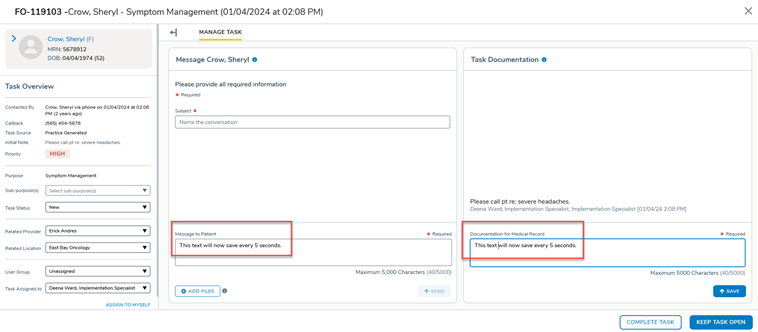
The Message to Patient and Documentation for Medical Record fields within a task will auto-save any information entered as a draft every 5 seconds when changes are detected. Previously, text entered in a task was lost if the user navigated away, the session timed out, or the window closed before the user clicked Send.
The 5-second interval is the default setting. To adjust the auto-save interval for your practice, contact your Ontada Health Account Manager.
Why this matters
Triage documentation often involves detailed, time-sensitive notes. Auto-save prevents data loss from session timeouts, unintended navigation away from the task, or browser closures, reducing the need to re-enter information.