
Additional privacy controls for restricted patient charts Copied
With our last update on May 7, 2024, Ontada Health introduced privacy measures to honor restrictions set on patient charts within iKnowMed. We implemented visual indicators for restricted charts and masked or limited certain details for these patients.
Now, we’re introducing additional controls to ensure that patient privacy preferences are strictly adhered to, maintaining the highest data security standards.
Key enhancements to privacy controls
- Restricted chart access:
- Users without the appropriate permissions will not be able to view restricted patient charts across various Ontada Health admin tools, including the General Queue, Forms Queue, Support Tools, and Message History.
- Attempting to access a restricted chart will prompt a message stating that permission is required for access.
- Permission requirements:
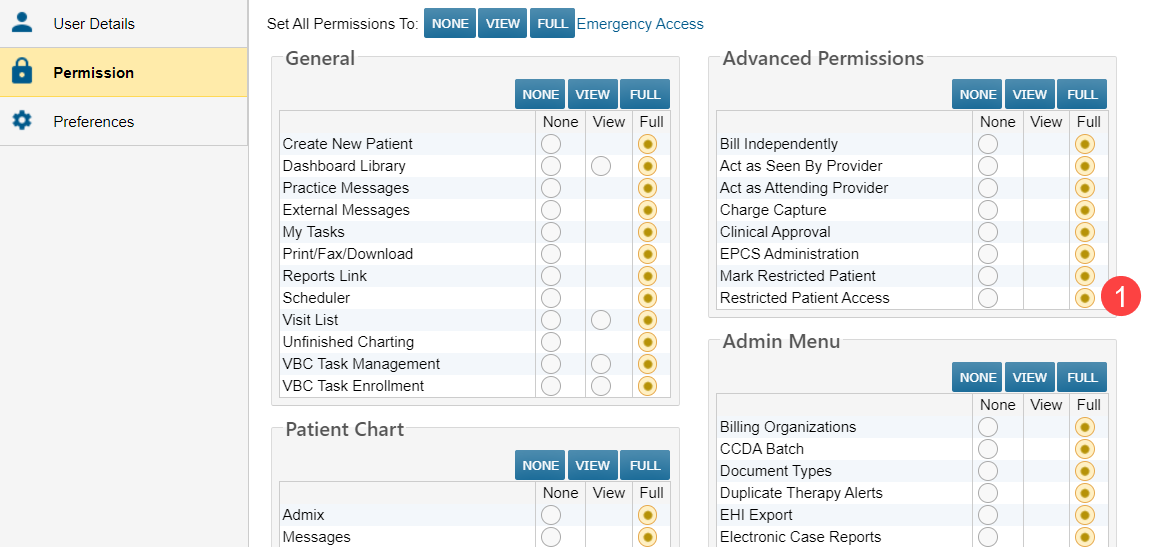
- Users must have the iKnowMed Restricted Patient Access permission set to Full to view these charts (callout 1).
- Accessing restricted charts:
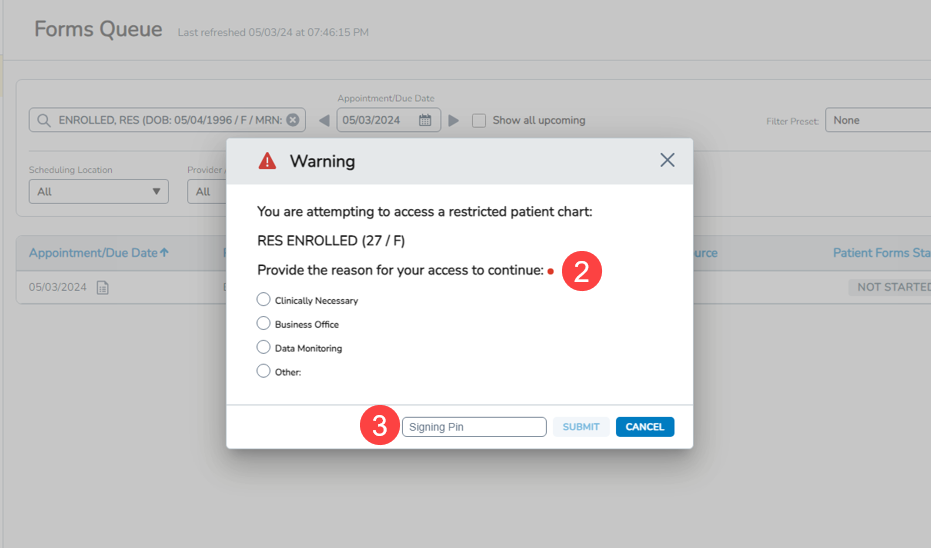
- Upon accessing a restricted chart, users with the correct permissions will be required to select a reason for entry (callout 2).
- If “Other” is selected as the reason, users must provide an explanation in a text box (limited to 100 characters).
- Users must also input the PIN linked to their iKnowMed account (callout 3).
- To set up or change your PIN, follow these instructions on the Help site.
- Session-based security:
- The reason window will appear each time a restricted chart is accessed during a new session in the Ontada Health admin tools.
- All required information must be correctly entered to access the patient chart.