
Patient Intake Summary: Manual PDF Generation Now Available Copied
If a patient completes their intake forms on-site using kiosk mode, you can now manually generate their Patient Intake Summary PDF at any time — no need to wait for the automated process to run.
What’s new
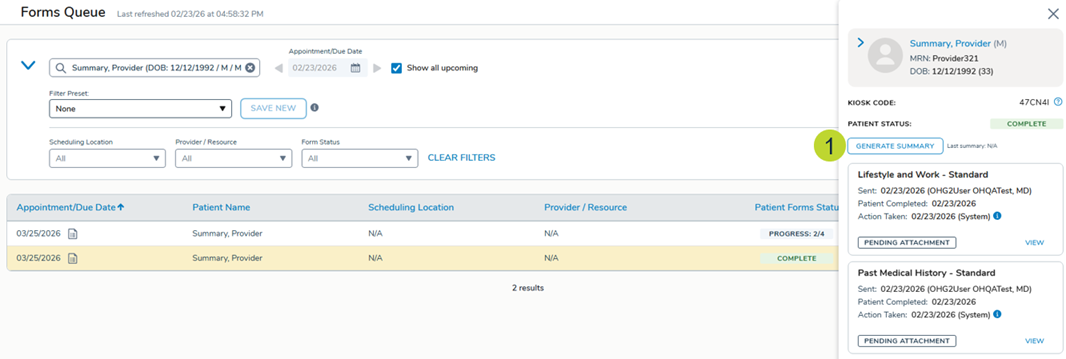
To manually generate the Patient Intake Summary PDF, go to Admin > Ontada Health > Forms Queue and click on an item to open the detail panel.
Click the Generate Summary button (callout 1) to create the PDF.
Note: Manual generation and the automatic PDF job work independently of each other. For example, if you manually generate a summary several days before an appointment, the system will still automatically regenerate the PDF once the patient completes all their forms closer to their visit.
Why this matters
Having on-demand access to the Patient Intake Summary means your care team can review completed intake information right away, whether you need it for a same-day visit, a walk-in, or simply want to get ahead of an upcoming appointment.