
Kiosk Mode for in-office form completion Copied
Patients can now complete their intake forms digitally while at your practice using a device you provide. No need to send forms in advance or hand out paper if they arrive without completing forms beforehand.
What’s new
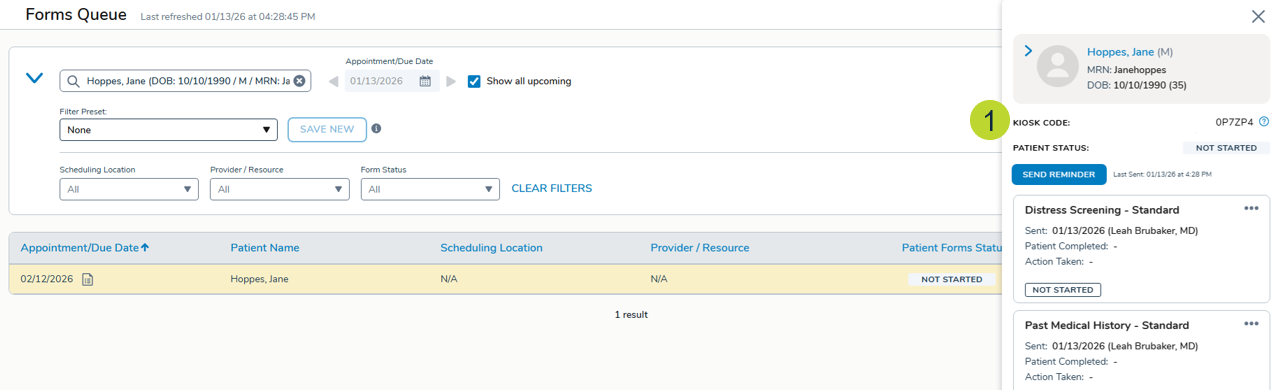
To get started, go to Admin > Ontada Health > Forms Queue, select a form or set of forms, and open the detail panel.
A new Kiosk Mode field will appear below the patient’s information (callout 1). Click the question mark icon for step-by-step instructions on enabling kiosk mode.
Two existing reports have also been updated to help you track kiosk activity:
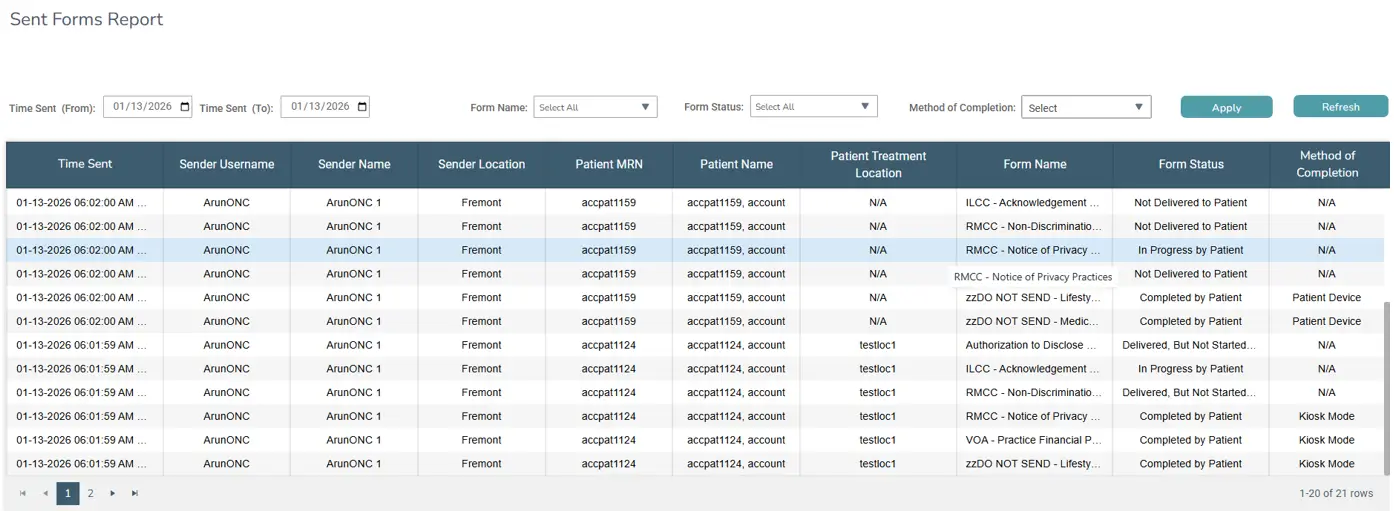
- Sent Forms Report: A new Method of Completion column identifies how each form was submitted (e.g., Patient Device or Kiosk Mode). The Form Status column will update in real time from “In Progress by Patient” to “Completed by Patient” as forms are submitted on your device.
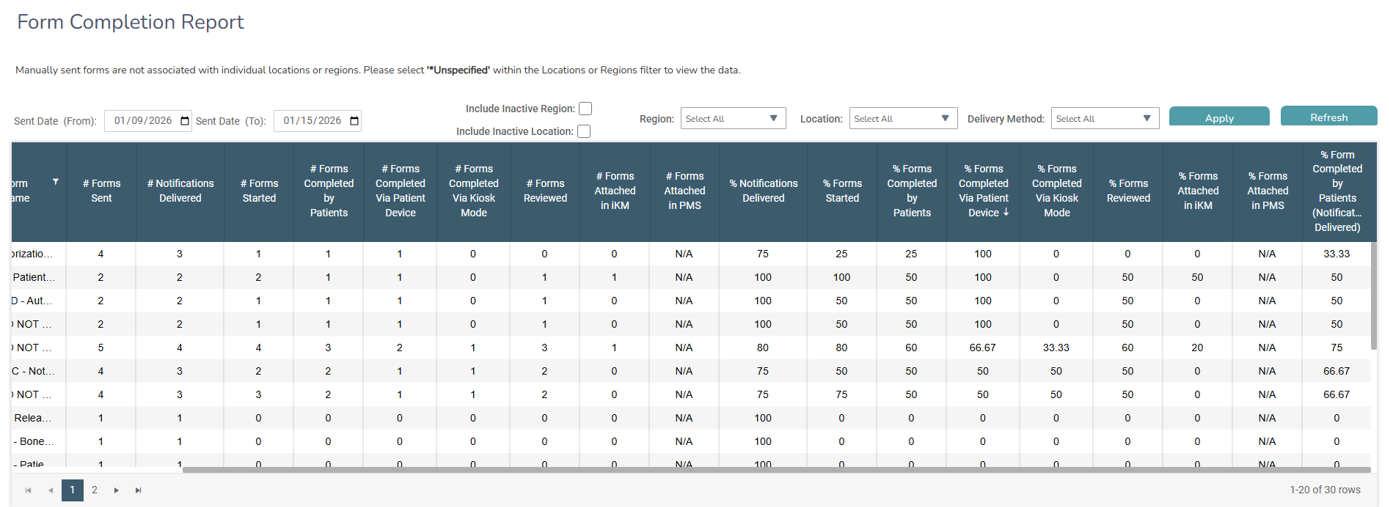
- Form Completion Report: Now tracks forms sent, started, and completed via in-office devices, plus a new % Forms Completed Via Kiosk Mode column helps you monitor completion rates.
Why this matters
Paper forms at check-in create extra work for staff and slow down patient throughput. Kiosk mode closes the gap for patients who arrive without completing their forms digitally, keeping your practice paperless and your workflows consistent without adding complexity for your team.
Resources
For more information, visit the Help site.