Enhancements to Notification Audit Report Copied
We’re enhancing the Notification Audit Report to give practices better visibility into email notification statuses for patients, helping identify patients with missing or invalid email addresses and tracking the success of email notifications. This can improve communication between practices and patients by ensuring accurate and up-to-date contact information.
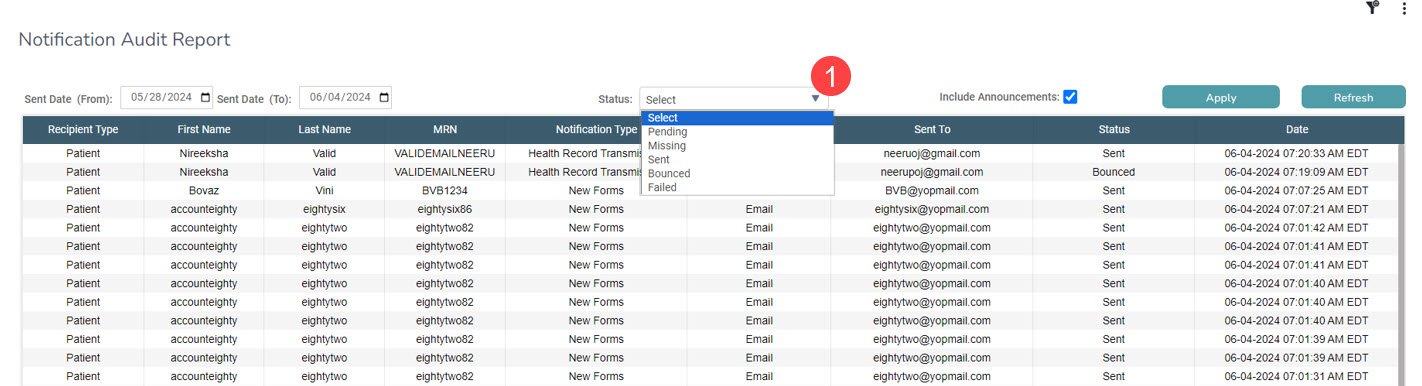
The Notification Audit Report will now include the following statuses in the Status drop-down (callout 1):
- Pending: Displays email notifications that are in the process of being sent.
- Missing: Indicates patients who do not have an email address recorded in their chart.
- Sent: Confirms that email notifications were successfully sent to patients.
- Bounced: Shows emails that could not be delivered due to invalid or incorrect email addresses.
- Failed: Identifies email notifications that were not successfully sent.