Download and share patient records via admin tools Copied
We’re introducing an enhancement to Support Tools that simplifies accessing and sharing patient records, ensuring practice users can efficiently manage health records promptly.
This is an extension of the health records-sharing feature introduced for patients and caregivers in our July 11 release. For more detailed information, view the 3.3.6 release notes.
How to access and use the feature
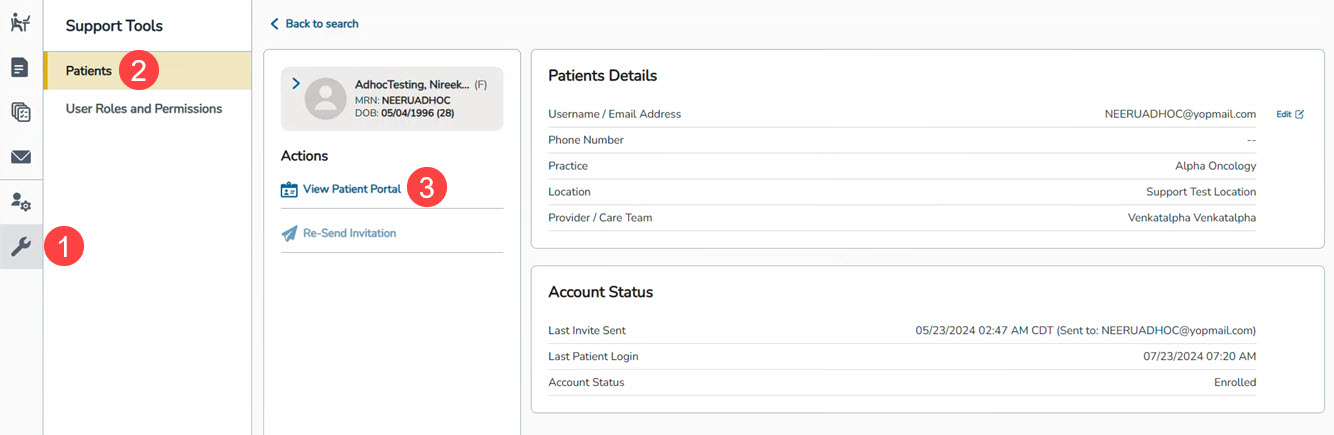
- Navigate to Support Tools (callout 1).
- Select the Patient option (callout 2).
- Click the View Patient Portal link to open the patient’s portal (callout 3).
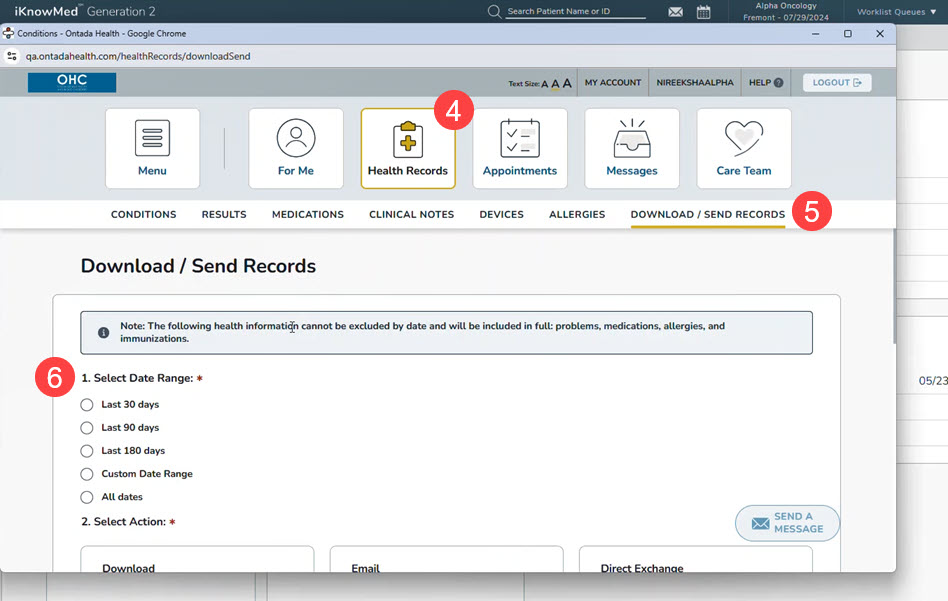
- Select Health Records from the top navigation (callout 4).
- Click on the Download/Send Records page (callout 5).
- Choose the desired date range for the records (callout 6).
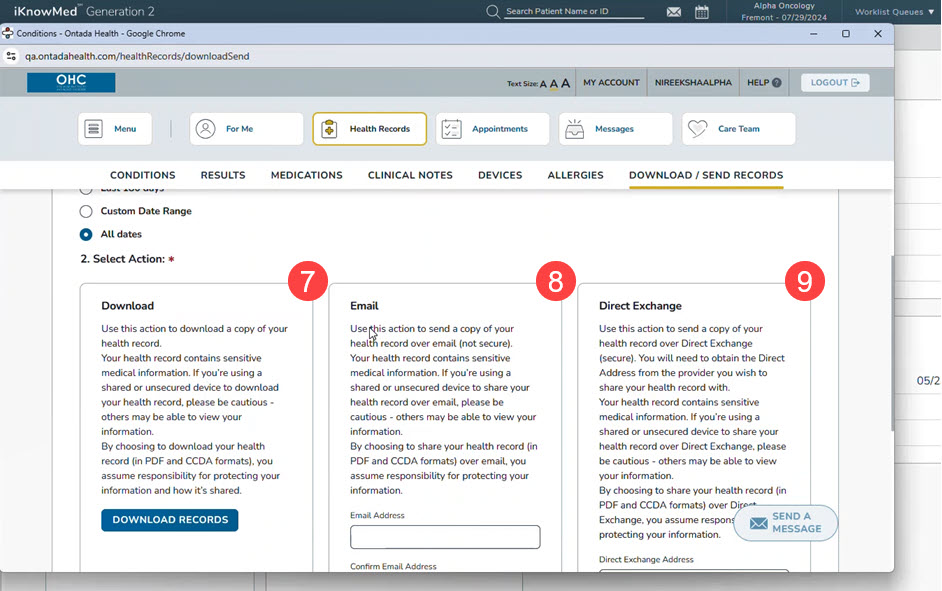
- Select the preferred method to share the records: Download, Email, or Direct Exchange (callout 7-9).