
How practices opt patients in or out of SMS reminders Copied
Practices can help patients get started with SMS reminders from Support Tools > Patients.
By default, patients must manually opt in to text messaging. However, Ontada Health offers an optional setting that allows practices to automatically opt in all patients for text messaging. To enable automatic patient opt-in, contact your Ontada Health Account Manager.
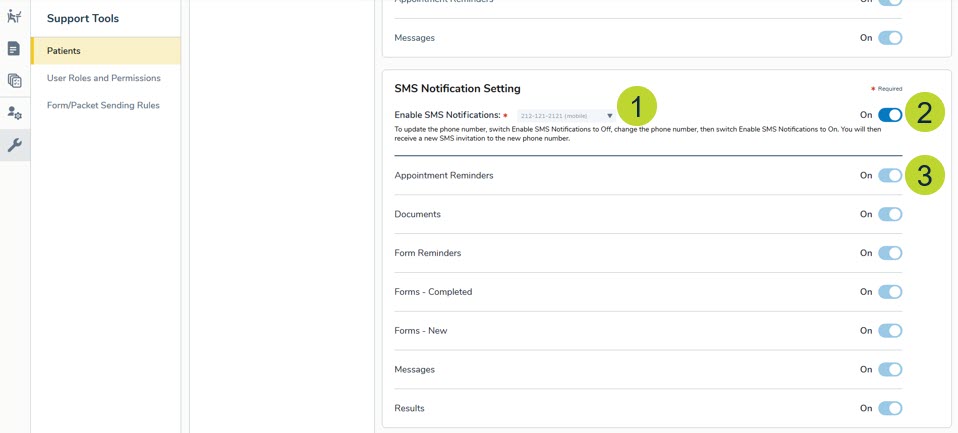
To enable SMS notifications for a patient, go to Support Tools > Patients and choose a patient. Under SMS Notification Settings, choose from existing phone numbers shared from the patient’s Demographics tab (callout 1). Toggle the switches to turn on SMS notifications (callout 2) and Appointment Reminders (callout 3).
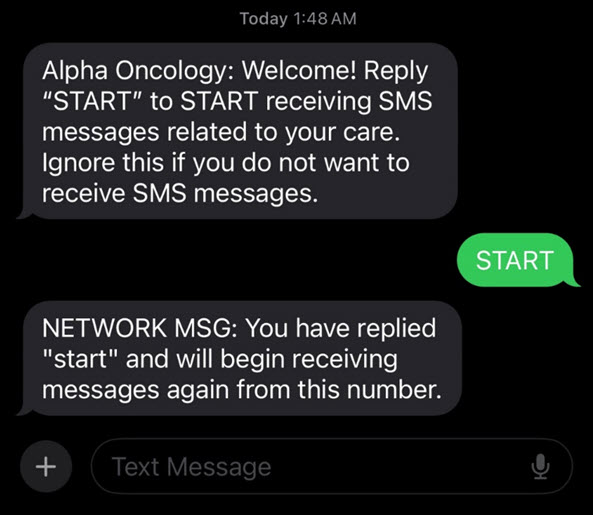
The patient will receive an initial text message prompting them to reply START to confirm participation.
If your practice needs to resend the opt-in invitation, click Resend Invite on under >SMS Notification Settings (callout 4) and the invitation text message will be sent again automatically.
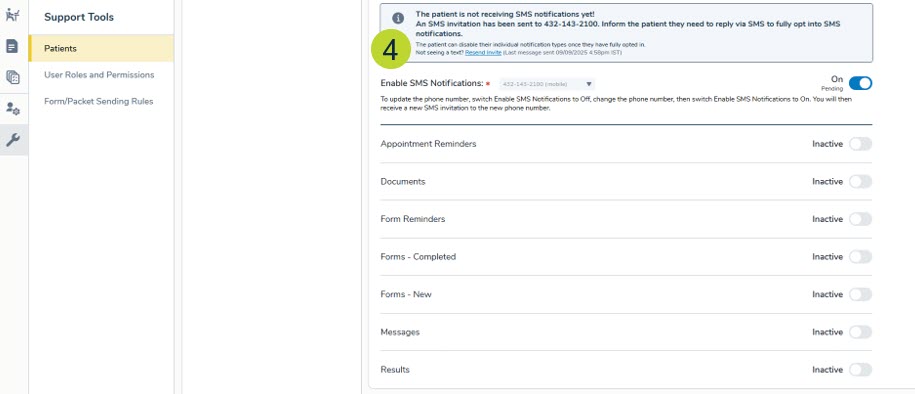
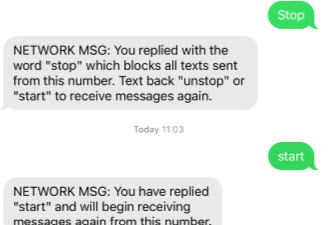
Practices can also update the phone number used for reminders or turn text messaging off at any time in this area. If a patient opts out by replying STOP, they can opt back in via text or through the patient portal, or the practice can re-enable text messaging on their behalf.
Related Articles:
- Introduction to SMS Patient Appointment Management
- How patients opt in or out of SMS notifications
- How practices opt patients in or out of SMS reminders
- Appointment confirmation via SMS
- Appointment reschedules via SMS
- Appointment cancellation via SMS
- Track SMS engagement with reports