Enhancements to packet/form sending rules in admin tools Copied
View username of provider or resource associated with the rule
We’re adding a new G2 Username column to the Provider section of the packet/form sending details.
You can view and sort the column to quickly identify the usernames of the providers or resources that must be assigned for the rule to activate.
This enhancement provides clearer visibility into provider assignments, helping you manage and troubleshoot sending rules more efficiently.

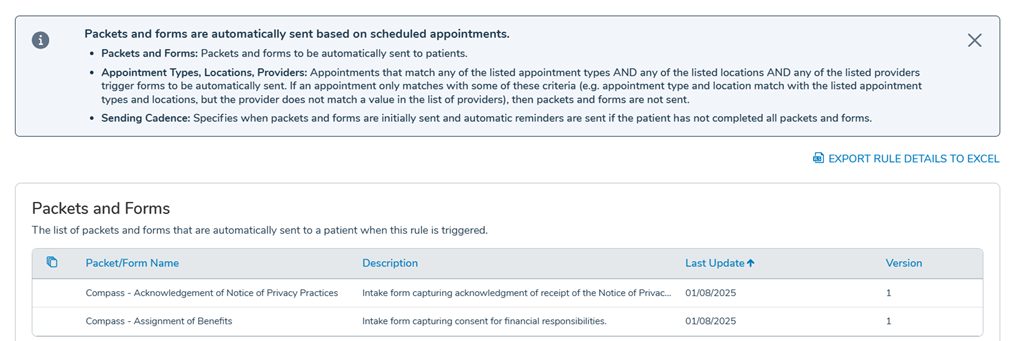
Export rule details as an Excel file
You can also download the details of a rule as an Excel file for offline review or recordkeeping.
When viewing the details of a rule, click Export Rule Details to Excel in the upper right corner. The file will download to your computer for you to review or save.